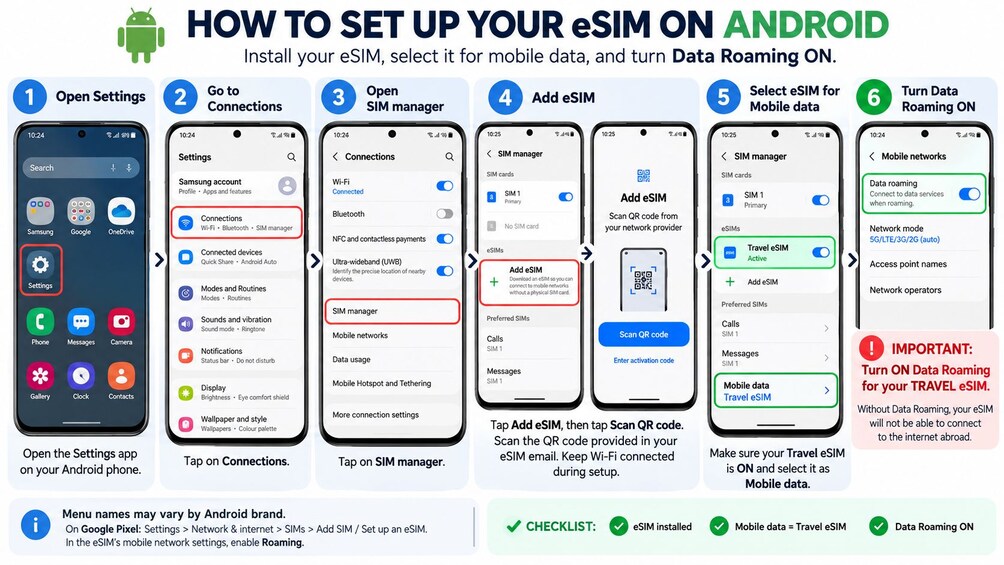
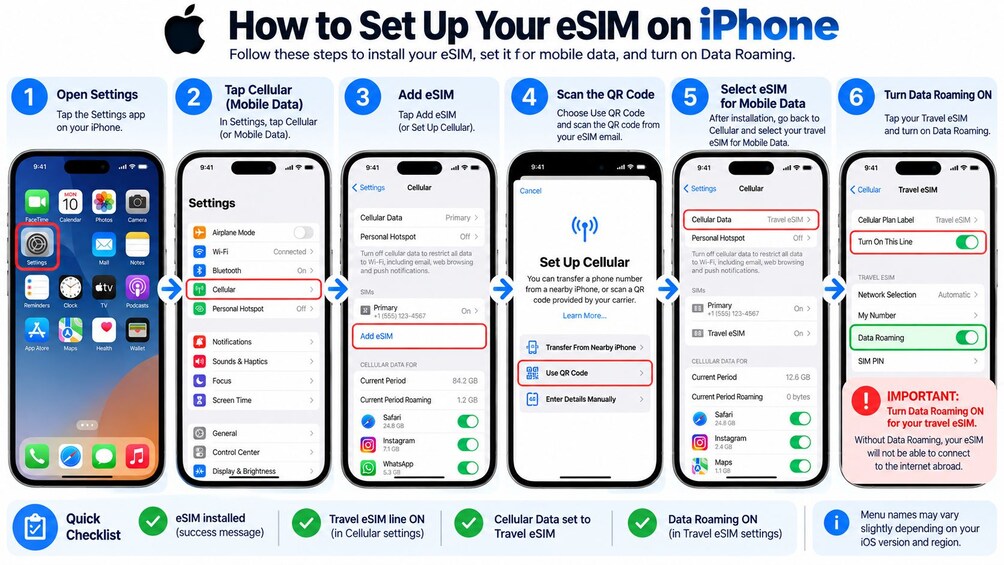
IMPORTANT: After installing, set the eSIM as your mobile data line and turn ON Data Roaming for the eSIM. Keep data roaming OFF on your home SIM to avoid charges from your own operator. Need help: WhatsApp +448007074044 or support@rentnconnect.com
Land in Hong Kong already connected. Skip airport SIM queues, expensive roaming fees and unsafe public Wi-Fi. Your eSIM QR code arrives by email within minutes of booking. Scan it, install it in 2 minutes and you are online.
Coverage: works in all of Hong Kong.
Use it for: Uber and Google Maps, WhatsApp, social media and video calls. Hotspot sharing is included.
Which plan to choose:
Maps and messaging: about 1 GB per day
Social media, video and hotspot: Unlimited or a larger plan
Short stopover: the smallest daily plan
Save on roaming: carrier roaming can cost USD 10 to 12 per day. Our plans start from just a few euros.
How it works:
1. Book and receive your QR code by email within minutes. Please check your spam folder too.
2. Install it in your phone settings. You can do this at home on Wi-Fi before you fly.
3. On arrival, select the eSIM for mobile data and turn ON Data Roaming for the eSIM line.
The plan starts when the eSIM first connects to a local network.
Travelling with family or friends: one eSIM works on one phone. Simply select the number of travellers to get an eSIM for each phone.
Good to know: data only, no phone number, calls or SMS. WhatsApp calls work. Support: WhatsApp +448007074044 or support@rentnconnect.com


 Earn $0.15